Time tracking & T&M billing for consulting teams
Time tracking, approvals, invoicing and project profit & loss for consulting teams — no spreadsheets, no double entry.
No credit card · Your workspace is ready in minutes.
How it works
An admin links each Azure DevOps project once, read-only.
Fill in your weekly grid. Lawtomatch maps your work items for you.
Approvers accept or reject the week. Rejections are emailed back.
Issue a T&M invoice as a PDF, track it to paid, then see each project's margin.
Features
The tools your team uses every week, built around the Azure DevOps work items you already track.
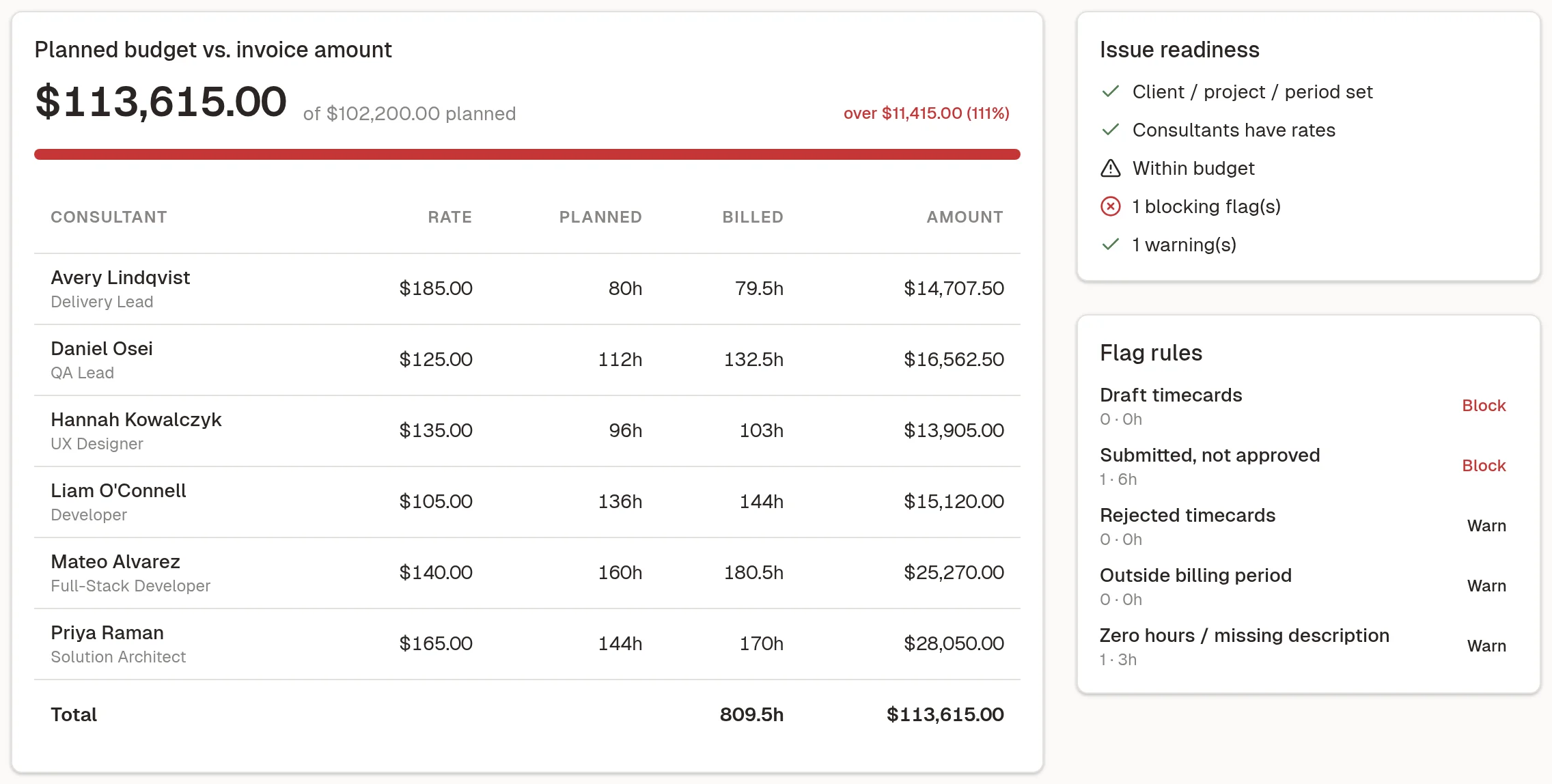
Pick a client, project and period and TallyCards builds the invoice, with a live preview as you go. Draft review flags problems and compares the total against the project budget before anything goes out.
New
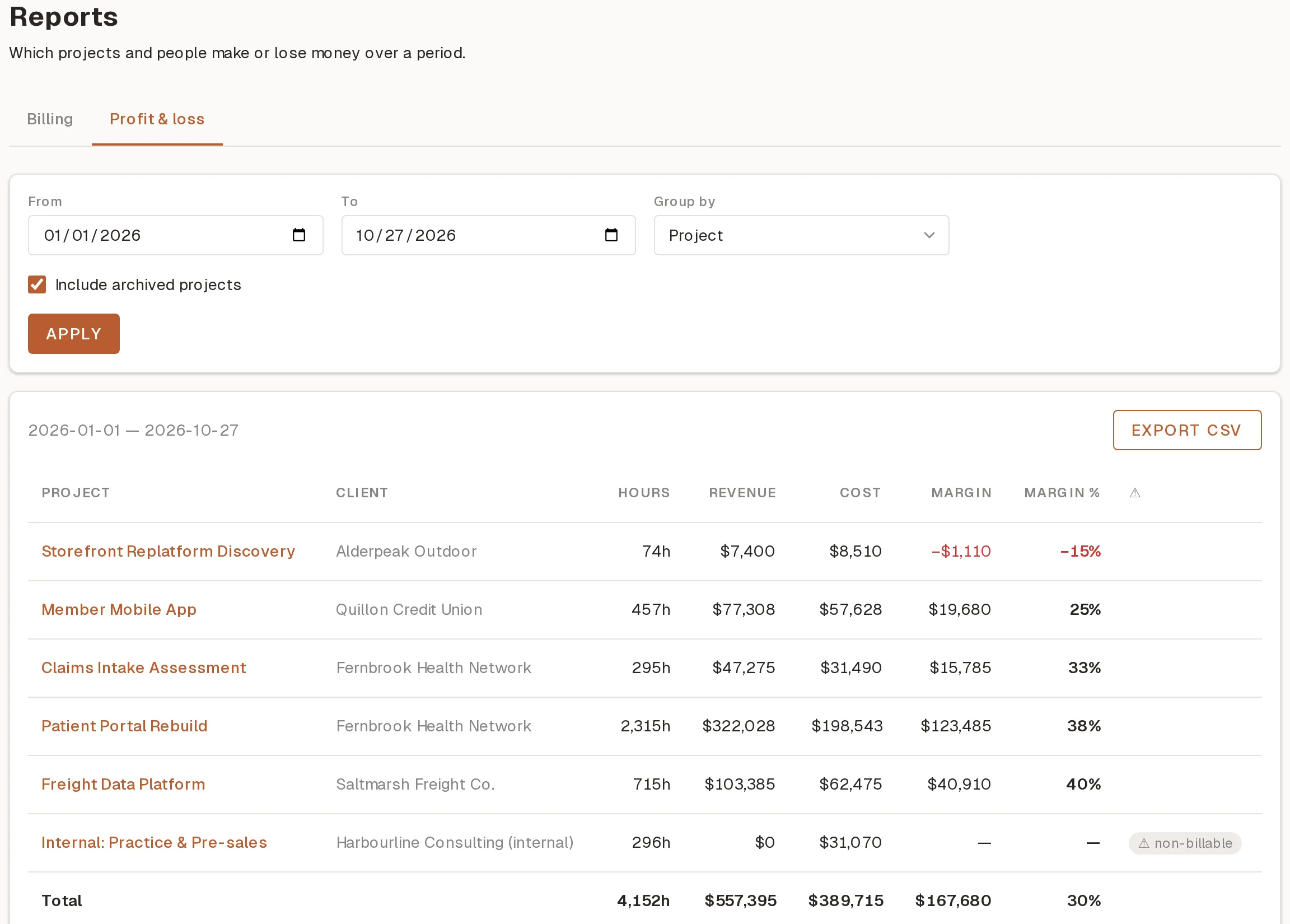
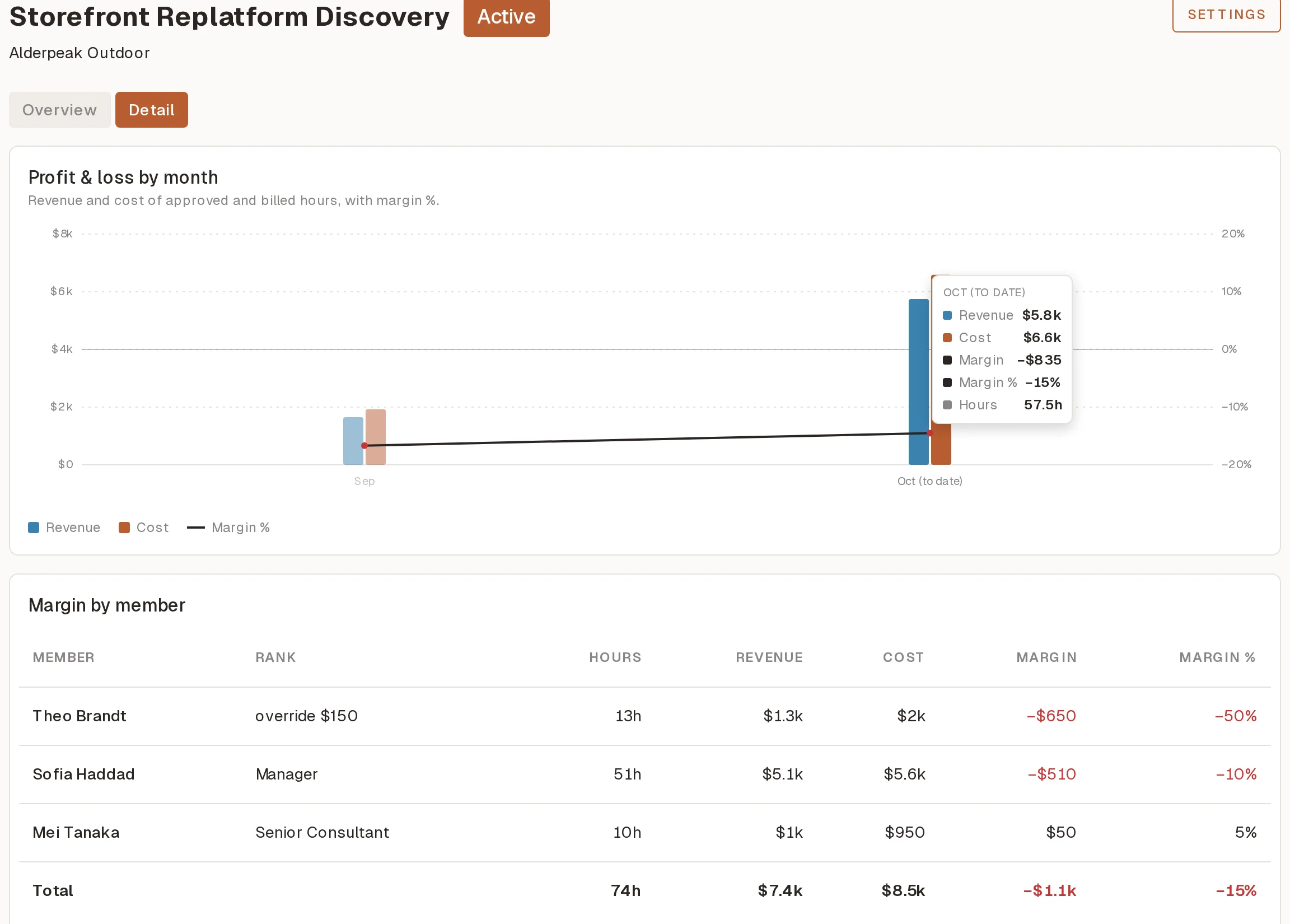
Know which projects make money, before the quarter ends. TallyCards prices the approved and billed hours it already tracks, so each project shows its revenue, cost and margin without a timesheet export. Missing costs are flagged, never counted as zero, and costs are visible only to admins.
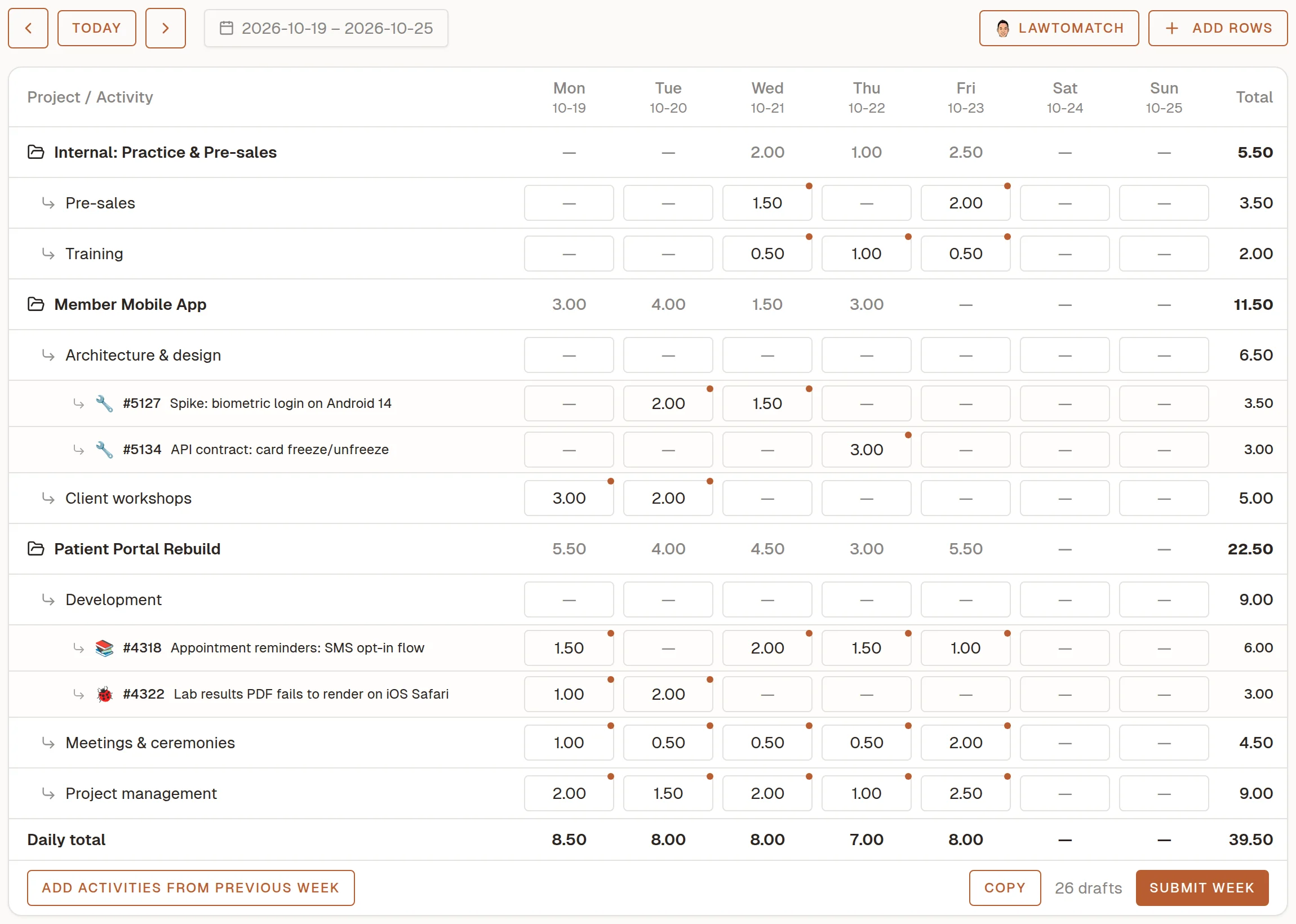
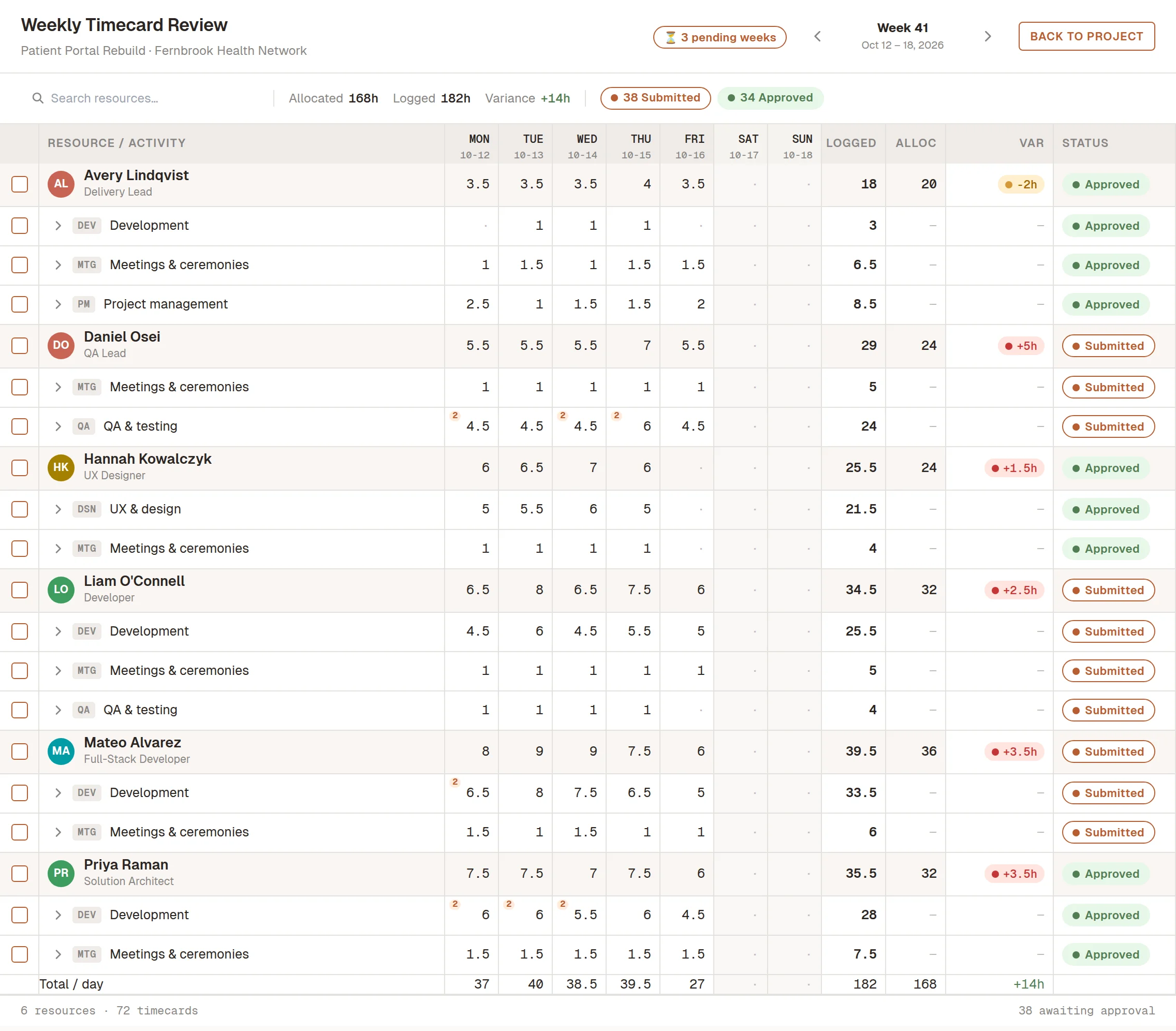
Consultants fill in the whole week in one grid, tabbing from cell to cell with the keyboard. Lawtomatch maps their Azure DevOps work items onto the grid, so each row lines up with a real ticket.
Approvers see everyone's week for a project side by side and accept or reject it in one place. Approved time is locked and ready to invoice.
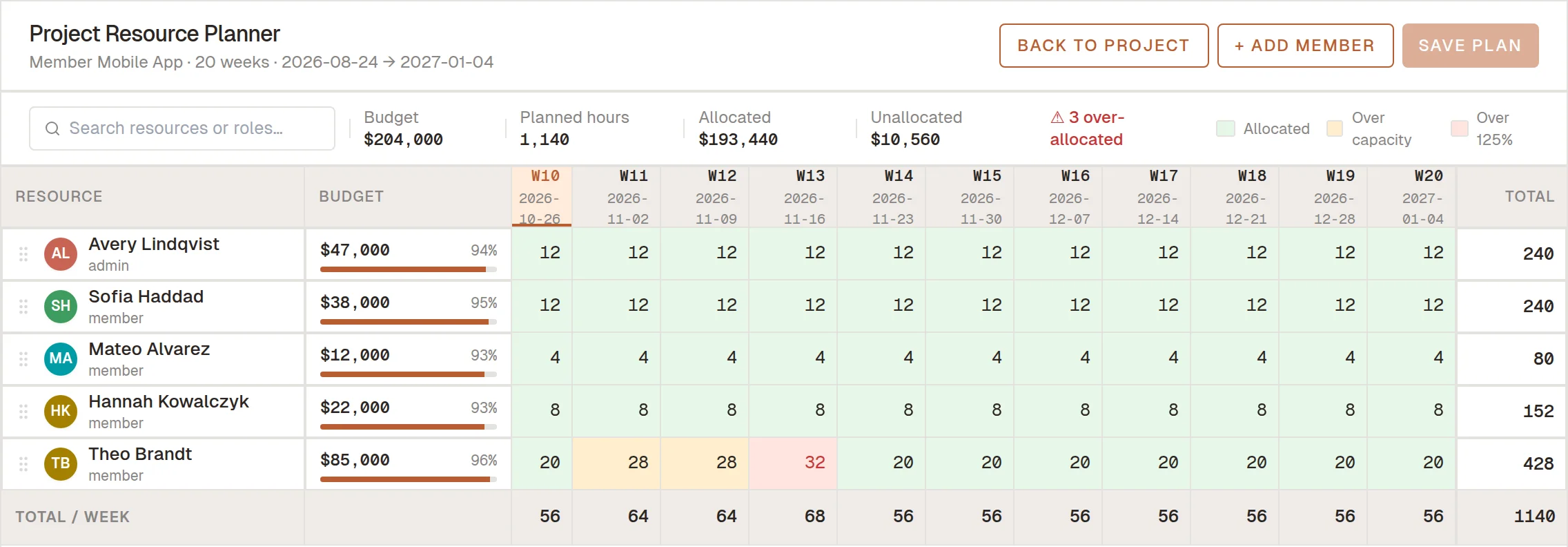
Plan who works on what, week by week. Each member's allocations sit next to their weekly capacity, so you can see who has room before you commit to a client.
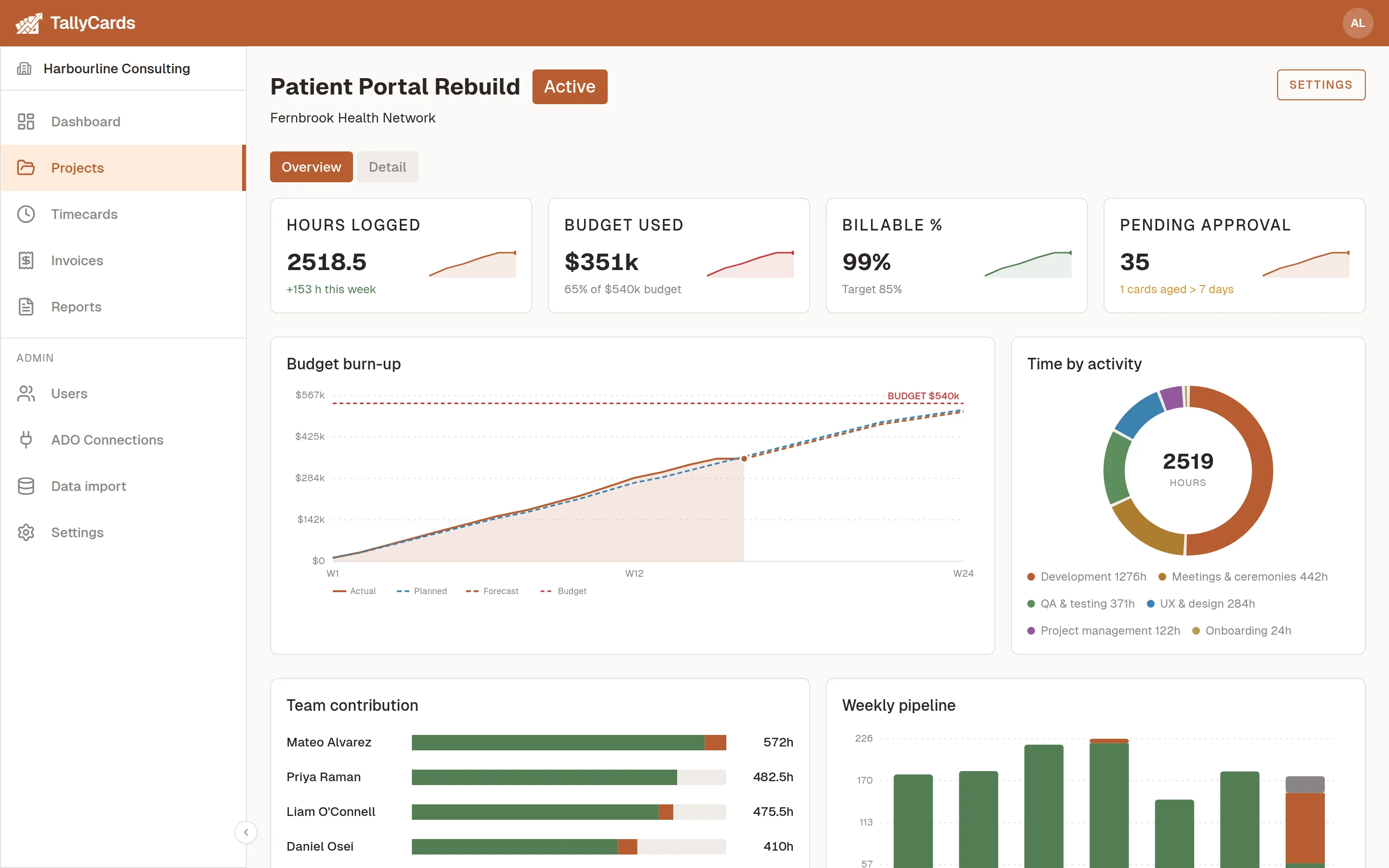
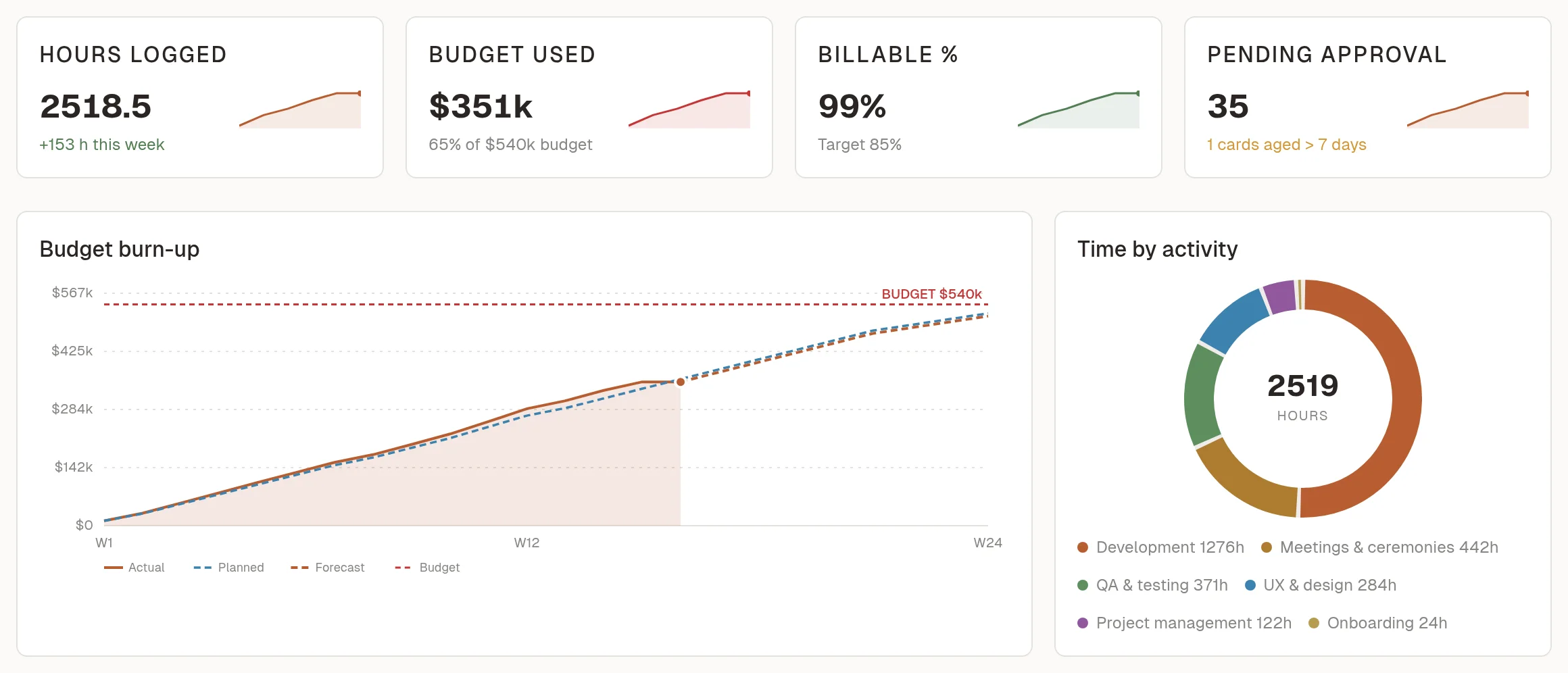
Every project's page charts its budget burn-up and allocated versus actual hours, so you can see how the work is tracking. T&M billing reports are ready as PDF or CSV, and the Reports page adds a profit and loss report across all projects with CSV export.
An admin connects each project once with a personal access token. TallyCards only asks for read access to work items and keeps them in sync in the background, so consultants log time against the tickets they're on.
A responsive web layout for phones and tablets. Nothing to install.
Export reports to CSV, or copy a week of time as a Markdown table.
Set a client, default hourly rate, budget and dates for each project.
Rejected timecards and teammate invites go out by email.
Get started fast
Bring your team and your history with you. No credit card required.
Enter your company name, your name, email and a password. Your workspace is created once you confirm your email.
Add teammates by email and they join your workspace.
Upload users and timecards from CSV. Everything is validated before anything is saved, with a downloadable error report if rows need fixing.
An admin links each project once, with read-only access to work items.
See it in action
Designed for the way consulting teams work — not how software vendors think they do.
Trust
Each workspace's data is isolated at the database level.
Azure DevOps tokens are stored encrypted and only read access is requested.
TallyCards runs on Amazon Web Services.
Sign-in is rate-limited, and email ownership is verified before sign-up or invite.
Only tenant admins, and project admins for their own projects, see costs or margins. The data never reaches team members' browsers.
Pricing
Pay only for what you use. No setup fees, no minimum commitment.
For small teams getting started
$0/mo
For growing teams that scale past 4
$6/seat/mo*
For custom needs & advanced scale
Custom
| Feature | Free | Team | Enterprise |
|---|---|---|---|
| Team Members | |||
| Team Size ≤ 4 | ✓ | ✓ | ✓ |
| Team Size > 4 | - | ✓ | ✓ |
| Azure DevOps Integration | ✓ | ✓ | ✓ |
| Weekly Timecard View | ✓ | ✓ | ✓ |
| Draft, Submit & Track Status | ✓ | ✓ | ✓ |
| Billing Rates (per project) | ✓ | ✓ | ✓ |
| Client Invoices | |||
| Standard Invoice | ✓ | ✓ | ✓ |
| Customizable Invoice | - | - | ✓ |
| Project Profit & Loss | - | ✓ | ✓ |
FAQ
It's built around Azure DevOps — work items sync in and Lawtomatch maps them for you. You can still log time against projects and activities without a connection.
Free for teams of up to 4. Beyond that, the Team plan is $6 per seat per month, and Enterprise is priced to fit. Project profit & loss is part of the Team and Enterprise plans. No credit card to start.
Only approved and billed hours count. Billed hours use the rate actually invoiced, and approved hours use the current billing rate. If a cost or rate is missing, TallyCards flags it instead of counting it as zero. Cost changes and promotions are dated, so past margins stay the same.
Yes. Import users and timecards from CSV; everything is validated before anything is saved.
Yes. Each workspace's data is isolated at the database level, and Azure DevOps tokens are stored encrypted with read-only access.
Yes. TallyCards is a responsive web app that works on phones and tablets, with nothing to install.
Yes — issue an invoice and download it as a PDF to send.
Stop rebuilding timesheets in spreadsheets.
Start freeNo credit card · Your workspace is ready in minutes.